Feature Flags
Ship with confidence
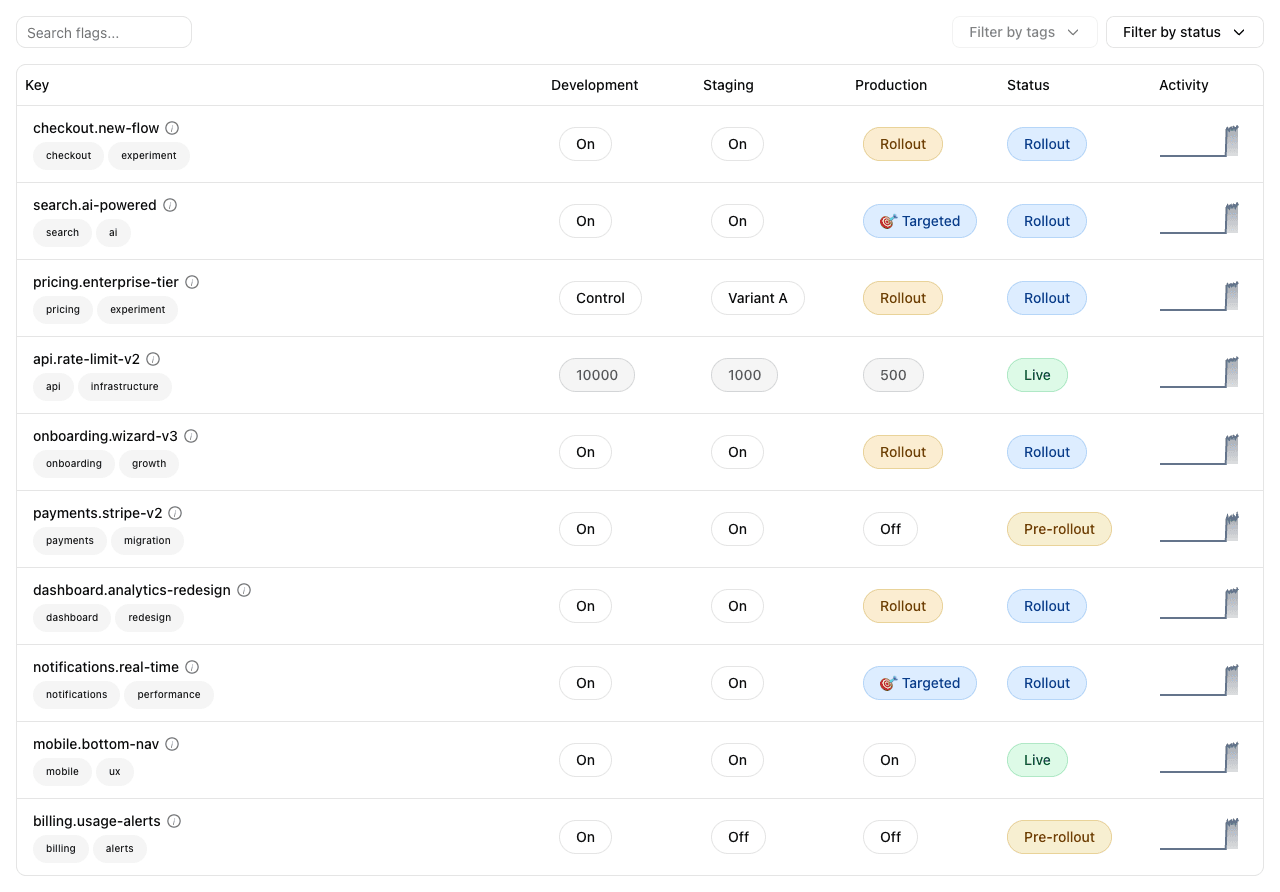
Boolean and multivariate flags, percentage rollouts, kill switches, segments, and targeting rules. Manage everything from the UI or the CLI. Every change is tracked with a full audit trail. Rollback any change instantly. See rollout status, evaluation trends, and per-environment overrides at a glance.
Flag types
Every flag type you need
From simple on/off toggles to multivariate experiments with weighted rollouts. One consistent model for all of them.
Boolean
The classic on/off flag. Gate a feature, run a kill switch, or set up a percentage rollout with consistent user bucketing.
String / StringList
Serve different string values per environment or user segment. Perfect for multivariate A/B/C tests, theme selection, and allow-lists.
Integer / Double
Numeric flags for rate limits, batch sizes, thresholds, and scoring weights. Integer or floating-point. Tune per environment without redeploying.
Duration
Time-based values for timeouts, retry delays, cache TTLs, and polling intervals. Human-readable units, machine-precise evaluation.
JSON
Arbitrary structured data for complex configuration. Feature payloads, layout definitions, and A/B test metadata.
Weighted Values
Split traffic across multiple variants with precise percentage control. Consistent hashing ensures users see the same variant.
Targeting
Powerful targeting without complexity
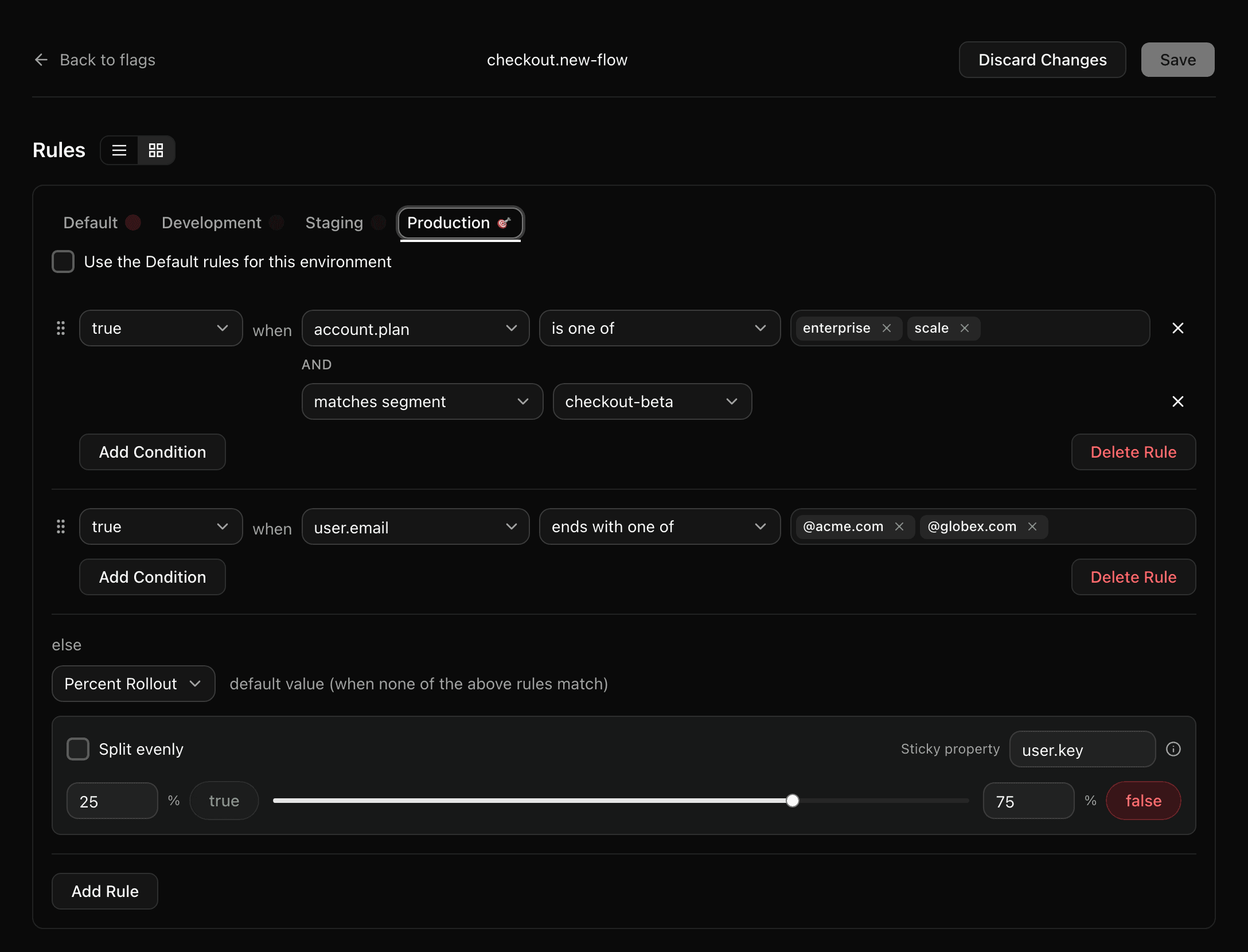
Layer rules to reach the right users at the right time. Target by property, combine with a segment, fall through to a percentage rollout — and scope the whole stack to one environment.
Property-based targeting
Target users by any property: email, plan, country, device, or custom attributes. Operators include is one of, starts with, ends with, contains, regex match, and more.
Segments
Define reusable user segments and reference them across multiple flags. Update the segment once, all flags update automatically.
Percentage rollouts
Roll out to a percentage of users with consistent hashing. Ramp from 1% to 100% without reassigning existing users.
Per-environment rules
Different rules for development, staging, and production. Override any environment independently while keeping a shared default.
Observability
Watch the rollout land
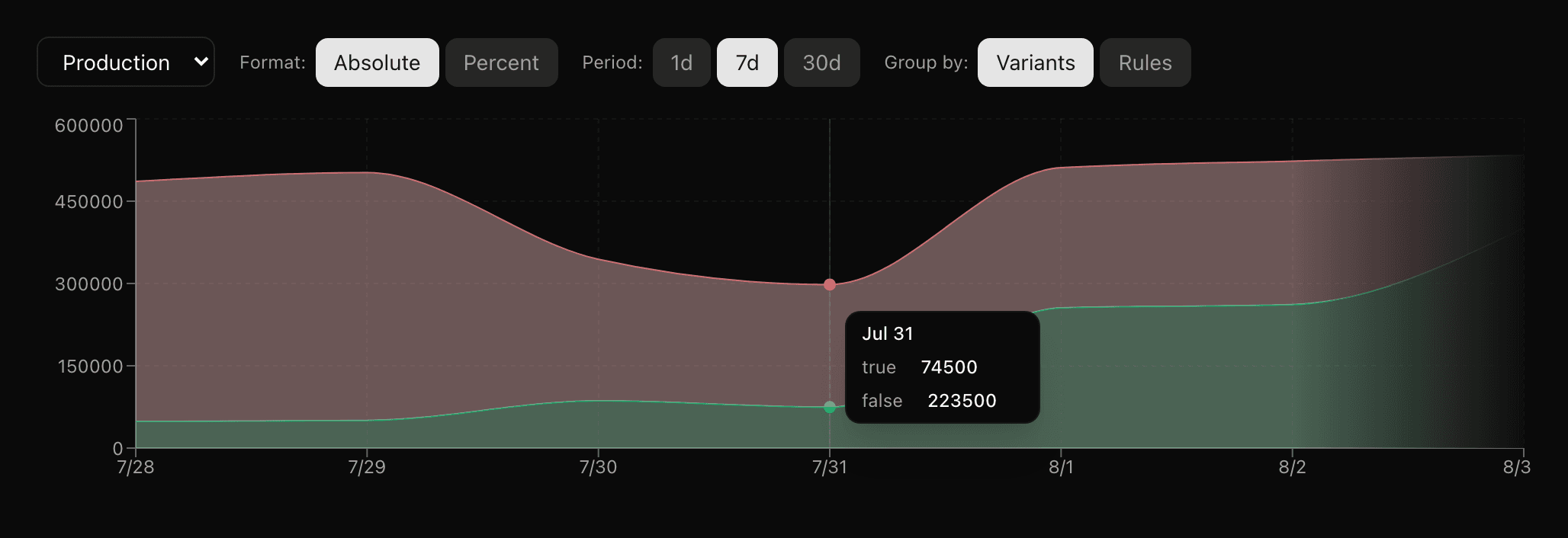
Real evaluation telemetry from your production SDKs, charted by variant. Know that a flag is actually serving what you think it is — before you ramp it further.
Charted by variant
See exactly which value your SDKs served, stacked over time. Absolute counts or percentages, over the last day, week, or month.
Group by rule
Switch from variants to rules to see which targeting rule actually matched. Find the rule that's serving more traffic than you expected.
Sparklines in the list
Every flag in the list carries a 14-day sparkline and a Pre-rollout / Rollout / Live badge, so stale flags are obvious without clicking in.
Rollouts
Gradual rollouts built in
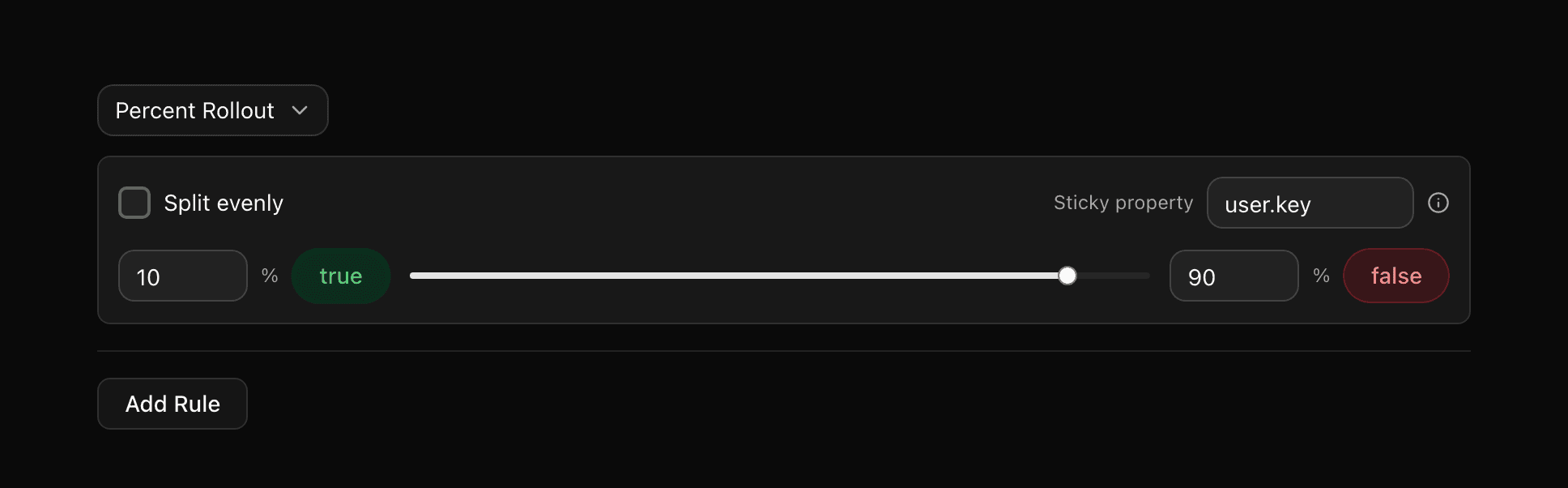
Ship to 1% of users, then 10%, then 50%, then everyone. Consistent hashing ensures users see the same variant every time. If something goes wrong, kill it instantly.
Percentage Rollouts
Split traffic precisely with weights that sum to 100%. Ramp up gradually from 1% to full rollout.
Consistent Hashing
Hash by user.key or any property. Users always see the same variant, even as percentages change.
Kill Switches
Every boolean flag is a kill switch. One CLI command or one click to disable a feature globally.
Instant Rollback
Roll back any change in seconds from the UI or CLI. Every rollback is tracked in the audit trail.
Audit trail
Built-in audit trail
Every flag change is tracked with an author, timestamp, and a diff you can read. Powered by git history under the hood. Your compliance team will love you.
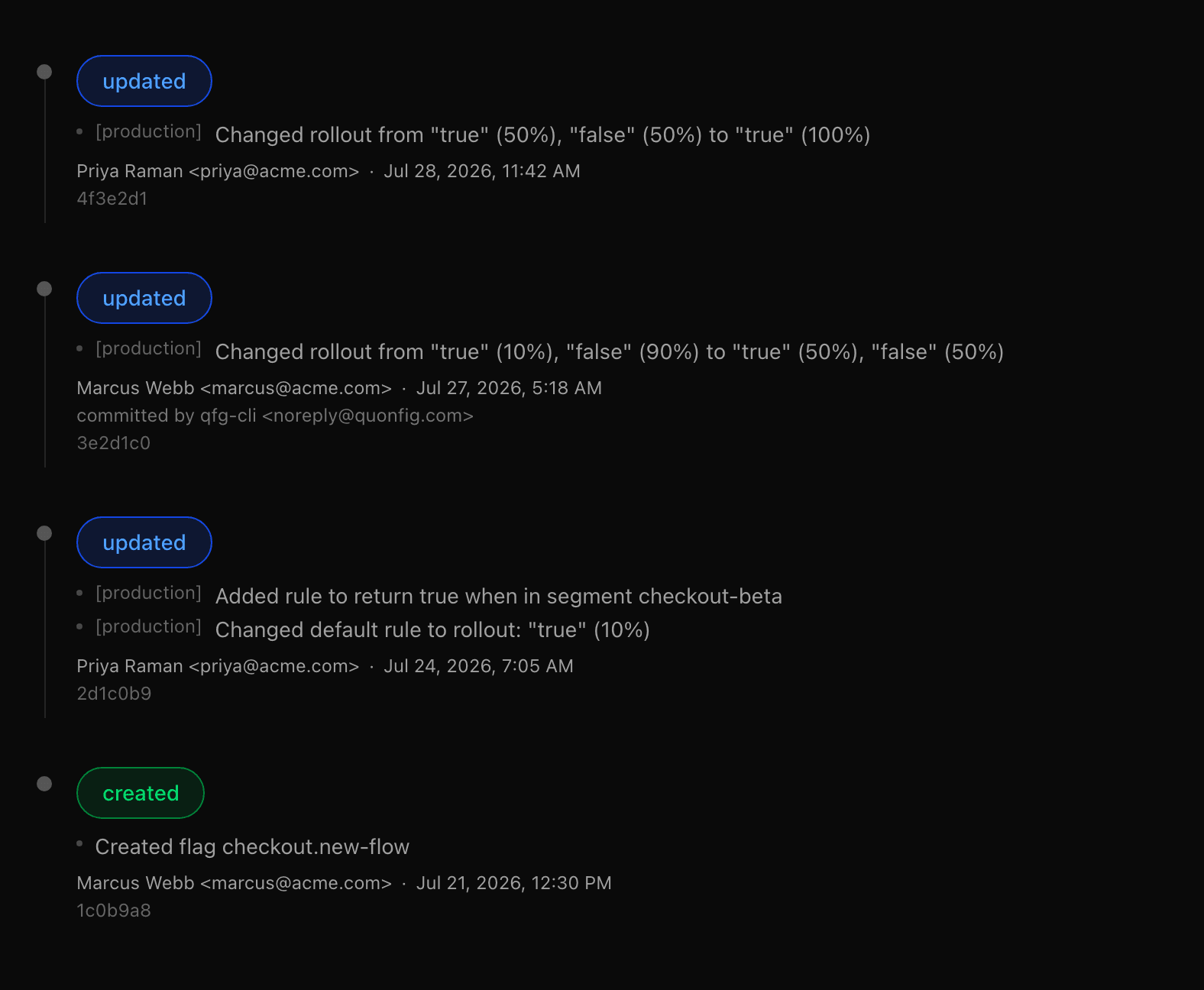
Full history
Every flag change ever made, with who changed it, when, and why. No 90-day retention limits. No paid add-ons.
Exact diffs
See exactly what changed between any two points in time. "What was this flag before the incident?" is one click away.
Instant rollback
Undo any flag change with one click from the UI or one command from the CLI. The rollback itself is tracked in the audit trail.
None of this is a feature we bolted on — it falls out of storing flags as files. How git-based feature flags work.
Ready to try feature flags that just work?
Full UI, real-time delivery, built-in audit trail. Get started in under 5 minutes.