Dynamic Config
Change values without deploying
Type-safe config values — strings, numbers, JSON objects — that update at runtime. Rate limits, API endpoints, theme settings, ML model versions. Same targeting engine as feature flags. Same SDKs. Same built-in audit trail.
Value types
Every value type you need
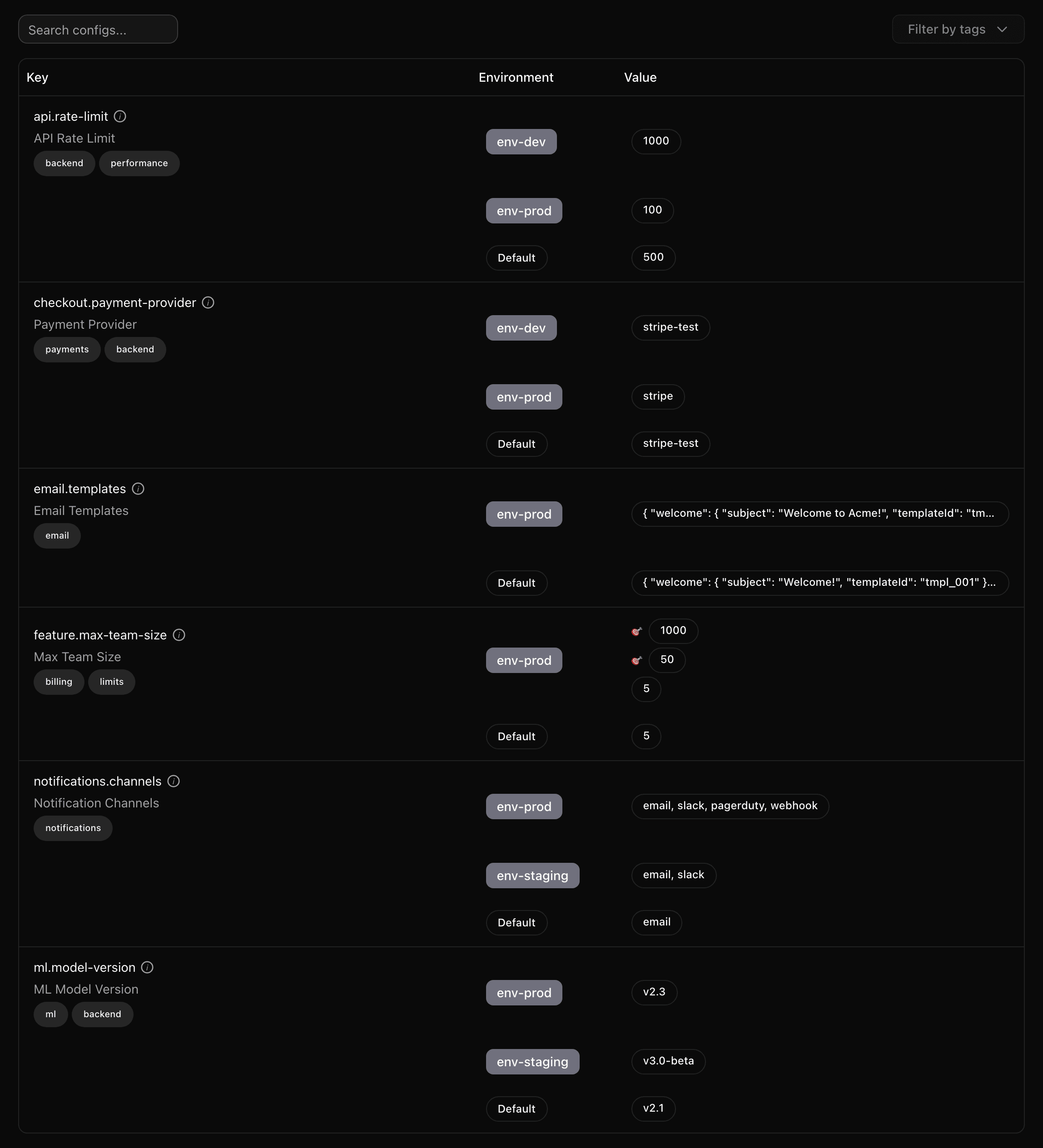
From simple strings to complex JSON objects, Quonfig handles the full range of configuration values your application needs.
Strings
API endpoints, CDN hostnames, template names, model versions. Change a URL without a deploy.
Numbers
Rate limits, timeouts, cache TTLs, thresholds. Tune performance in real time.
JSON objects
Complex configs like theme settings, notification rules, or ML pipeline parameters. Validated by schema.
Lists
Allowed origins, enabled integrations, notification channels. Manage arrays without code changes.
Targeted values
Different rate limits for free vs. pro users. Different API endpoints per region. Same config key, targeted values.
Schema-validated
JSON Schema ensures your config values are valid before they reach production. No more typos in critical settings.
Targeting
Same targeting engine as feature flags
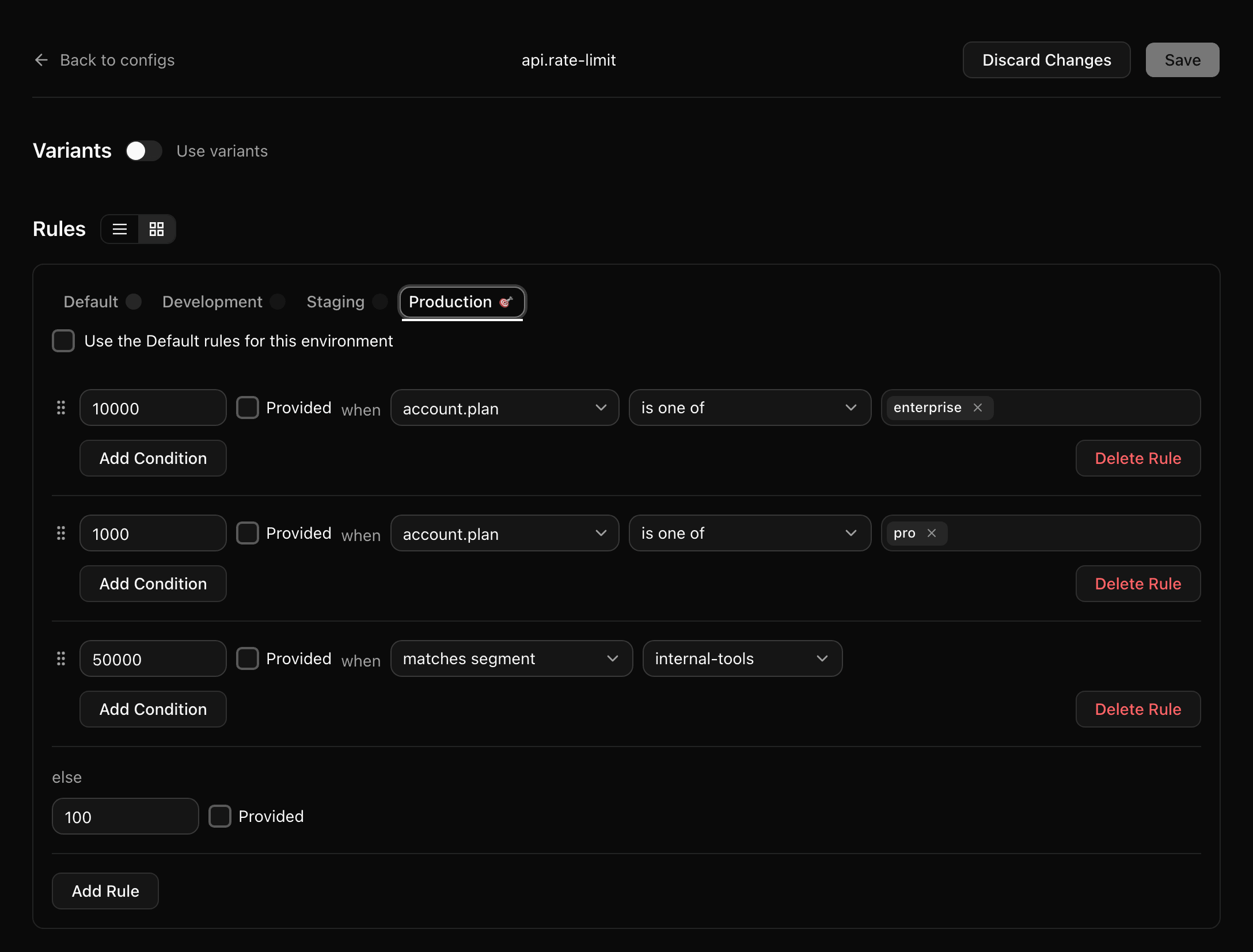
Configs aren't just static key-value pairs. Target config values by user, plan, segment, or any custom property — a rate limit of 10,000 for enterprise and 100 for everyone else, in a single config key.
Property-based targeting
Target by plan, region, team, device, or any custom attribute you send to the SDK. The same operators you use for feature flags.
Segments
Reference a reusable segment instead of repeating a rule. Update the segment once and every config that references it follows.
Per-environment rules
Production, staging, and development each get their own rule stack — or inherit the shared default when there's nothing special to say.
Ordered evaluation
Rules resolve top to bottom, so the specific case wins and the last rule is your fallback. Drag to reorder.
Type safety
Type-safe with JSON Schema
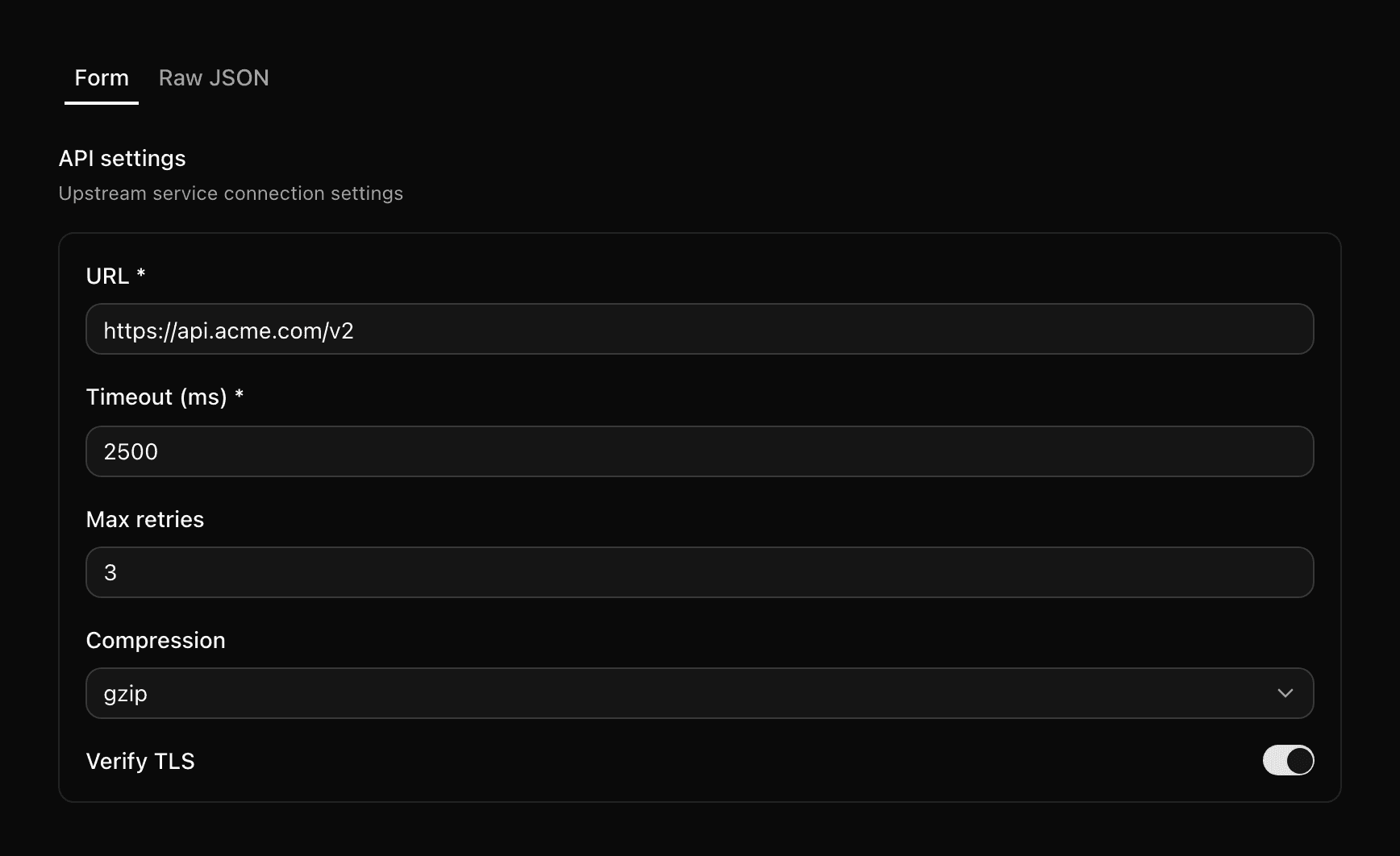
Bind a JSON Schema to any config and Quonfig generates a real typed form — with the enums, minimums, and required fields enforced as you edit. Values are validated before they reach production.
schemas/api-settings.json
{
  "type": "object",
  "required": ["url", "timeout"],
  "properties": {
    "url":     { "type": "string", "format": "uri" },
    "timeout": { "type": "integer", "minimum": 100 },
    "retries": { "type": "integer", "maximum": 10 },
    "compression": {
      "enum": ["none", "gzip", "brotli"]
    },
    "verifyTls": { "type": "boolean" }
  }
}
Validated on every save
A value that violates the schema never lands. Catch the typo in the editor instead of in an incident channel.
Generated typed clients
`qfg generate` turns your schemas into typed accessors, so a config rename is a compile error rather than a runtime undefined.
Schemas live in git
Schema files sit alongside your configs in the same repo, versioned by the same history and reviewable in the same diff.
Integration
Copy-paste integration for every SDK
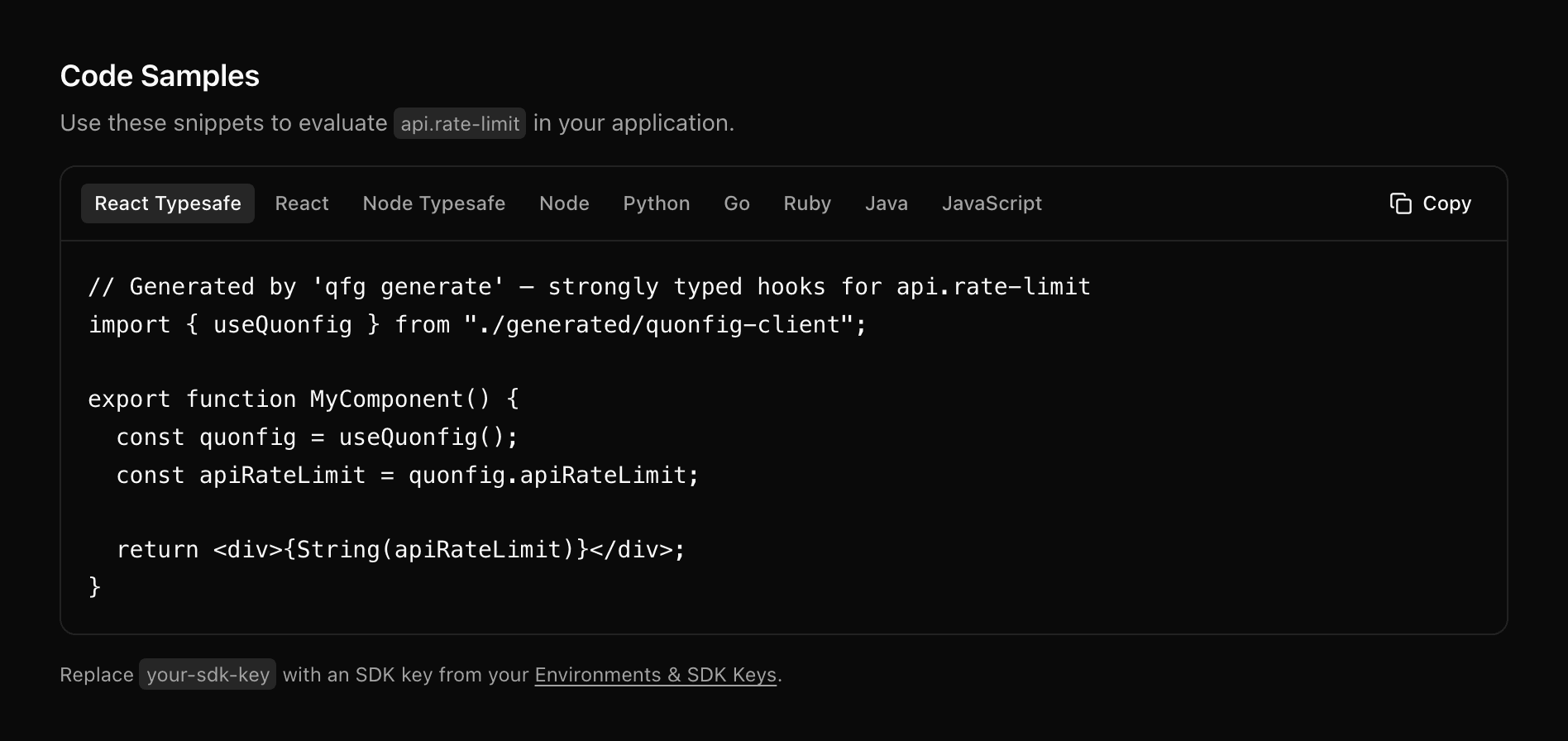
Every config carries a Code Samples tab with a ready-to-paste snippet in your language, using your actual config key. No guessing at the accessor name.
Observability
See how your configs are being used
Evaluation charts show how each config is being resolved across environments. Sparklines give you at-a-glance trends right in the list. Know which configs are active and which are stale.
Evaluation charts
Time-series data showing how each config value is being resolved. Filter by environment and time range (1d, 7d, 30d).
Per-value breakdown
Stacked area charts show the distribution across different resolved values. See a rollout ramping up in real time.
Grouped by rule
Switch from values to rules to see which targeting rule actually matched — and catch the one serving more traffic than you expected.
Audit trail
Every change is tracked
Built-in audit trail powered by git history. Every config change has an author, timestamp, and diff. No paid add-ons, no 90-day retention limits.
Full history
Every config change ever made. Who changed what, when, and why. No retention limits.
Authorization controls
Role-based access levels control who can change what. Protected configs require higher access in production.
Instant rollback
Roll back any config change instantly from the UI or CLI. No support tickets. No dashboard hunting.
Ready to try dynamic config that just works?
Full UI, real-time delivery, built-in audit trail. Get started in under 5 minutes.